
Mobile QC reports
QC-ready inspection reports, from template to teammates.
Build inspection templates with tolerances, repeat samples, and optional image URLs, scoped to workspace teams. Run them from Reports, check insight tiles on Dashboard, and sign in with Google. Share drafts or finished reports privately, with a team, or hand off PDFs by email when your backend supports it.
- Teams + templates Scopes report generation exactly like the Reports tab workflow
- Validated fields Block incomplete data; flag tolerance breaches as warnings
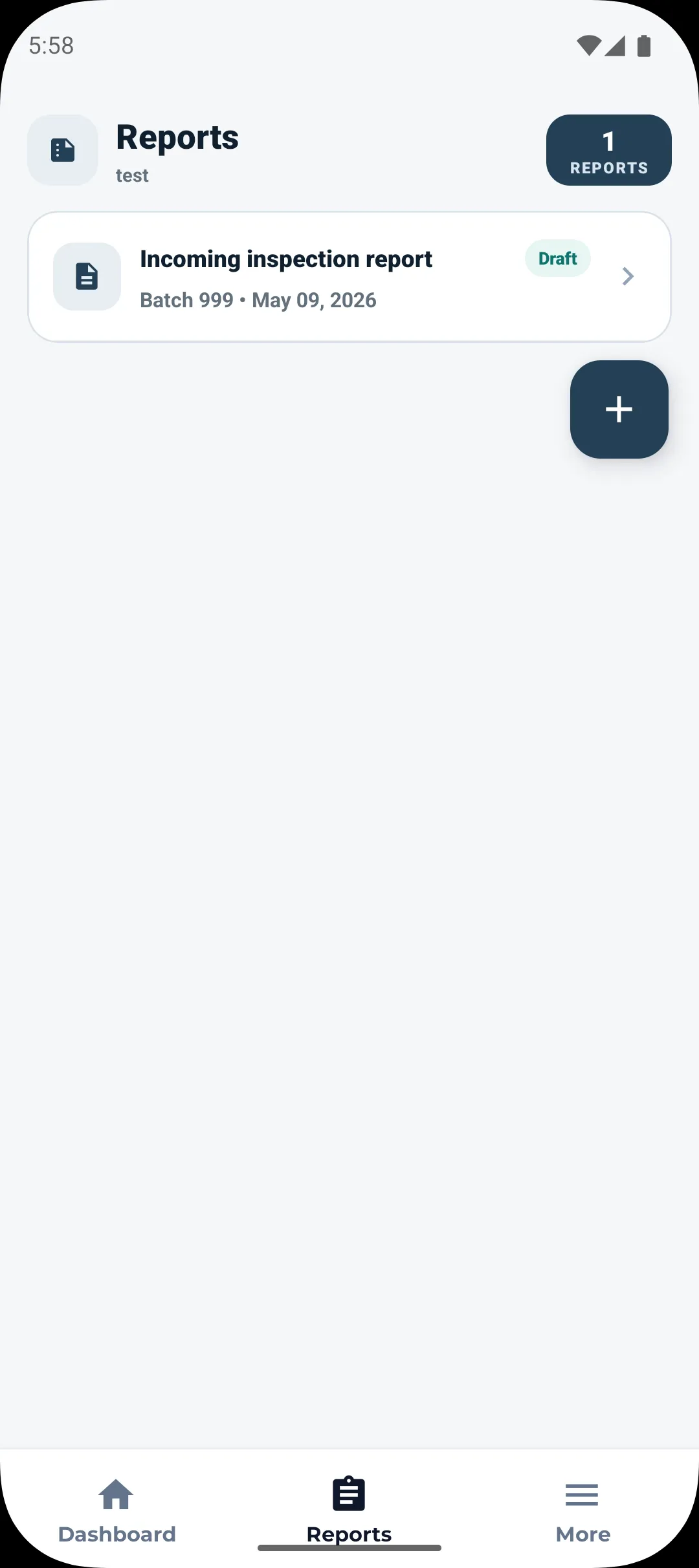
Reports in context Actual Android UI: list, statuses, and templated authoring from the FAB.
Inside the Android app
Real screens, not mockups.
Captured from Inspec Pro on Android: dashboard metrics, workspace onboarding, template entry points, and the Reports screen your inspectors use daily.
-
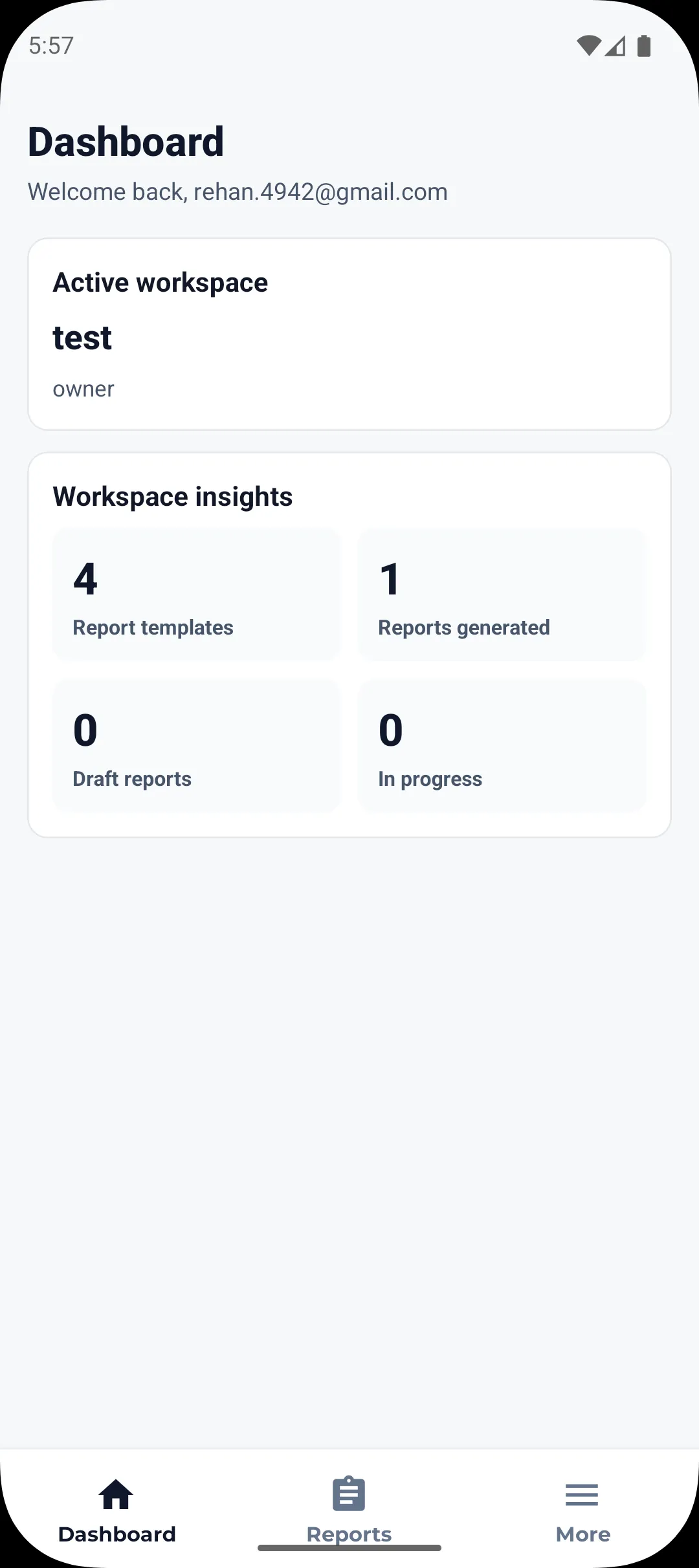
Dashboard Workspace context, greeting, and insight tiles: template counts plus generated, draft, and in‑progress inspection reports.
-
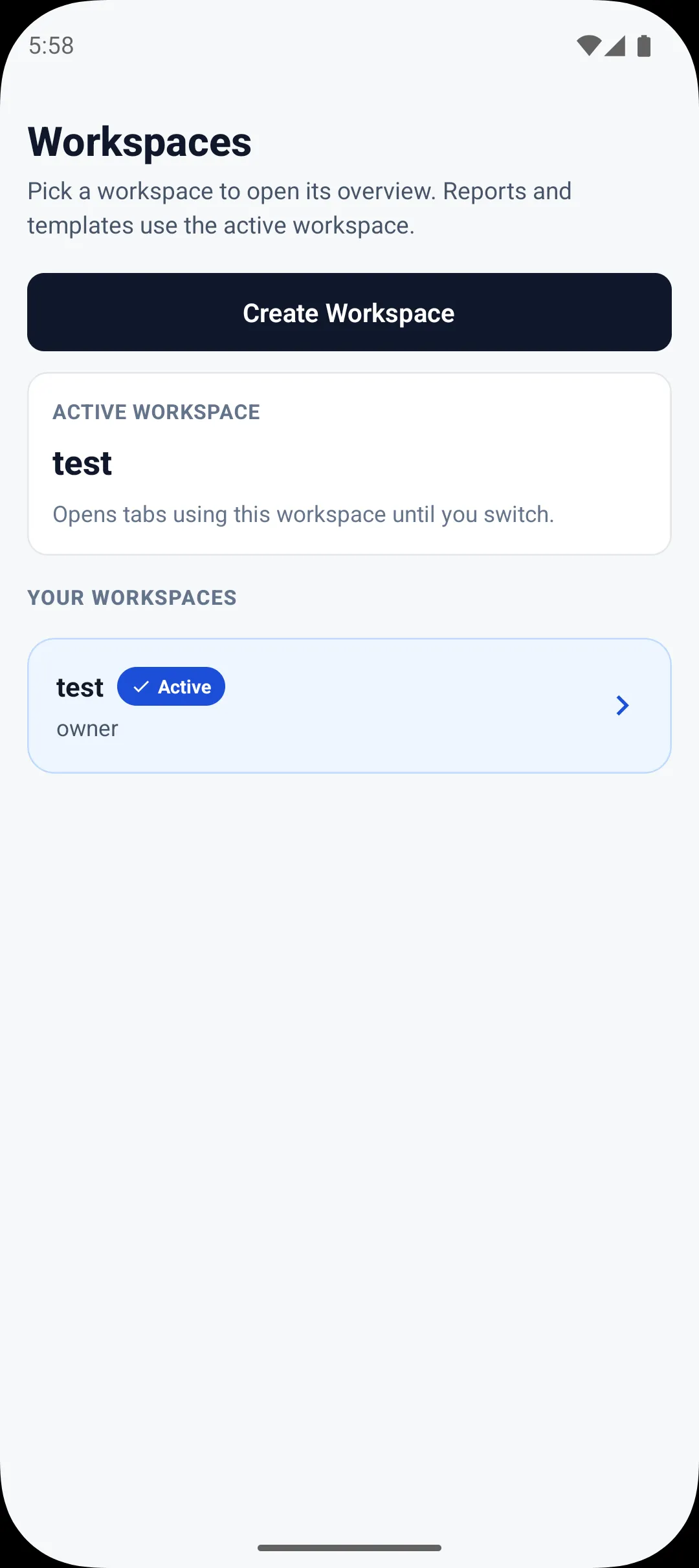
Workspaces Browse or spin up workspaces with a name, optional slug, and industry so templates and reports stay organized.
-
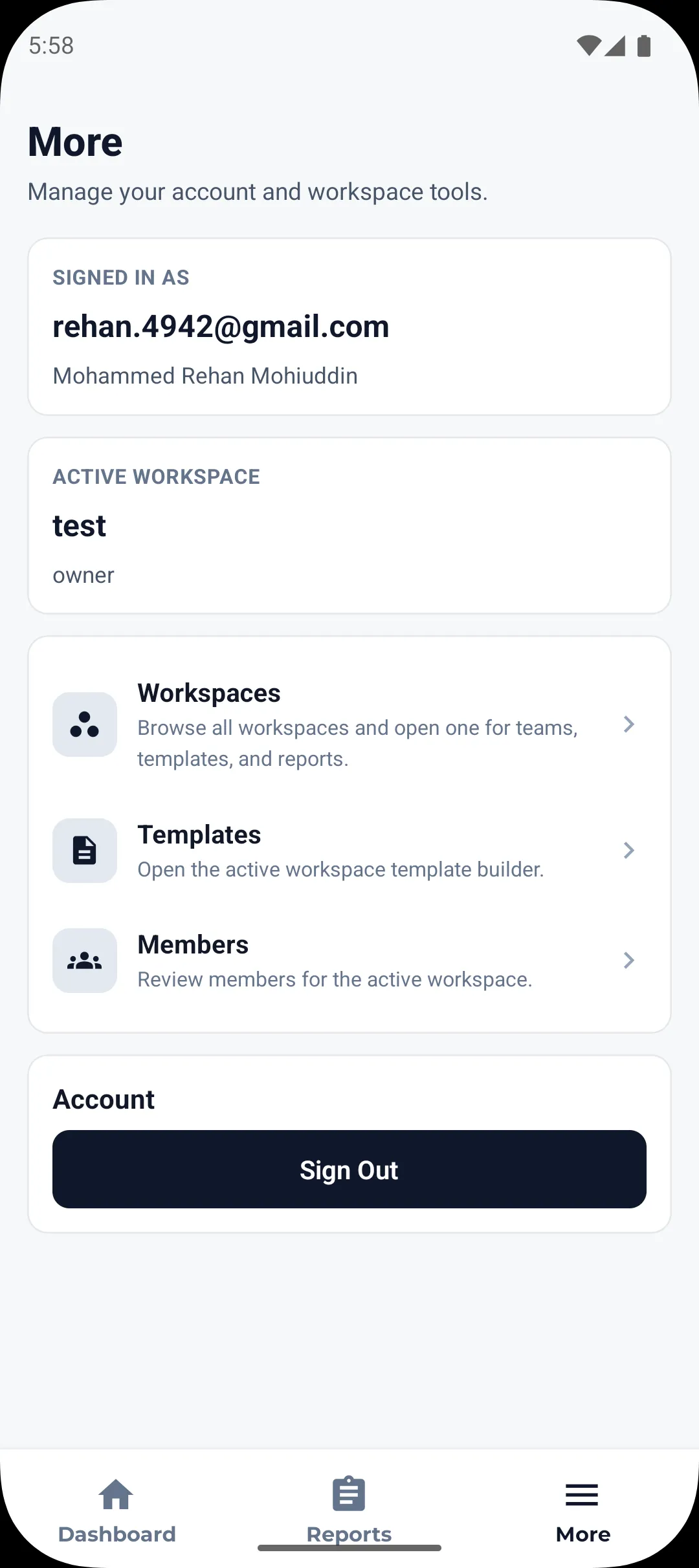
Templates & workspaces Navigate between workspace tools and rich template authoring from the flows your team already launches in More.
-
Reports Template-driven report list with status and batch context. Start the guided flow to pick team, template, and inspection fields.
In the shipped Android client
The same tooling your teammates already tap in Inspec Pro.
Dashboard, Reports, and More mirror the live mobile build: workspace switcher, Google sign-in, template builder with preview, teammates & members, structured report authoring, judgements, sample drill-downs, plus private, team-wide, PDF/email sharing where your backend delivers it.
-
Workspaces that scope everything
Create workspaces (name, optional slug & industry). Switch the active workspace anytime; dashboards, inspection templates, and reports all follow that context.
-
Templates you tailor
Build sections with text, numeric fields (decimals, repeat samples, units, tolerance bands), dates, and image references. Save versions as active or draft and preview before rollout.
-
Validation that matches QA reality
Mandatory checkpoints block sloppy submissions while out-of-range measurements stay surfaced as tolerance warnings instead of disappearing from the audit trail.
-
Dashboard summaries
See workspace insights at a glance: template counts plus total, draft, and in‑progress inspection reports without jumping into spreadsheets.
-
Teams, sharing & delivery
Organise teams inside a workspace and pin templates to teams. Share completed reports privately, with entire teams, or email PDF copies and optional workspace invites.
-
Sign in with Google
Android users authenticate with Google (shown in-app) so sessions stay synced with the secure API powering templates and reports.
Workflow
Exactly how inspectors move through Reports.
01
Workspace & memberships
Pick an active workspace and see who belongs. Dashboard metrics, templates, teams, authored reports, and sharing all respect that workspace.
02
Team + template + fill sheets
Open the FAB in Reports, pick team and template, then add batch, quantity, subsection comments, and uploads or URLs. Client-side checks flag blockers and surface tolerance warnings.
03
Review + distribute
Drill into a generated report’s judgements, samples, inspector notes. Share privately, with teams, invite stakeholders, queue PDF/email share, then pass the resulting link through the OS share sheet when needed.
Questions or a pilot?
Use the form for general enquiries, bugs, or feature requests; we read every submission. You can also open it in Google Forms in a full tab if the embed loads slowly on your connection.
- Workspace rollouts & training
- Security, compliance & data-handling expectations
- Integrations (uploads, PDF delivery, identity)
Inspec Pro contact
Embedded Google Form (General, Bug, Feature request).
Problems with the embedded view? Open the short link on Google Forms.
Get Inspec Pro on Android
The install file is hosted on Google Drive. Tap the button, then on the file page choose Download (on a phone, open the ⋮ menu at the top right).
- Open the Google Drive link.
- Download the APK to your device.
- Open the downloaded file and follow Android’s install prompts.
If Android asks whether you trust this source, allow your browser or Files app to install apps. You may need to sign in to Google on some devices before the download starts.